Lab 2.1: Strings in Elasticsearch
Objective:
In this lab, you will learn about the differences between text and keyword.
-
Write a match query on the blogs index that searches for blogs with the name
Steveas theauthors.first_name. You should get 135 hits.Solution
GET blogs/_search { "query": { "match": { "authors.first_name": "Steve" } } } -
Update the previous query to search for
steveinstead ofSteve. How many hits are you expecting?Solution
You should have the exact same number of hits.
GET blogs/_search { "query": { "match": { "authors.first_name": "steve" } } } -
Why is this
matchquery case-insensitive?Solution
The previous query has been run on a
textfield andtextfields are analyzed. By default, the text analysis lowercases the content fromtextfields. -
Update the query, to use the
authors.first_name.keywordinstead of theauthors.first_namefield.Solution
GET blogs/_search { "query": { "match": { "authors.first_name.keyword": "steve" } } } -
Why do you have zero result?
Solution
The query is now performed on a
keywordfield andkeywordfields are NOT analyzed. To match akeywordterm, you should have an exact match. -
Using they
keywordfield, update the query to get the same blogs as the first query.Solution
You should capitalize the name
Steve.GET blogs/_search { "query": { "match": { "authors.first_name.keyword": "Steve" } } } -
Next, open Discover to visualize the blogs dataset. Make sure to set the data view to blogs and to set the time filter to the last 13 years of blogs, and you should see 4,719 hits.
-
On the left hand side, find the field
authors.first_nameand click "Add field as column".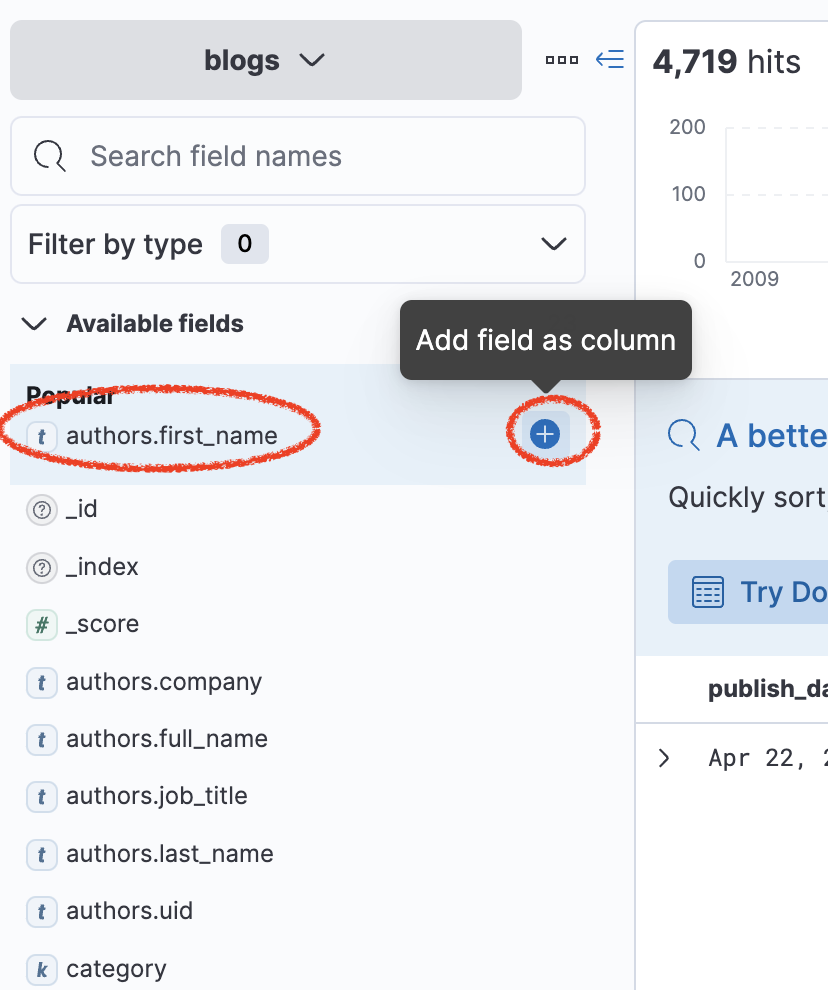
-
Notice that you can sort by
publish_datebut you don't have the option to do the same with the fieldauthors.first_name. This is because you can't sort results using atextfield.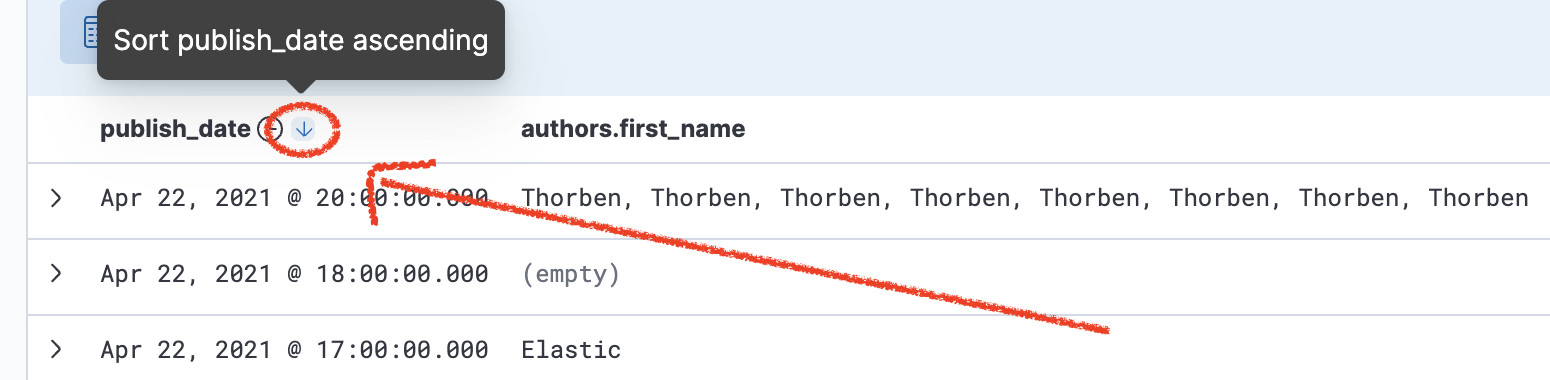
-
Remove the
authors.first_namefield and add thekeywordversion of this field. You will need to first click on the name of the field and find its multi-field.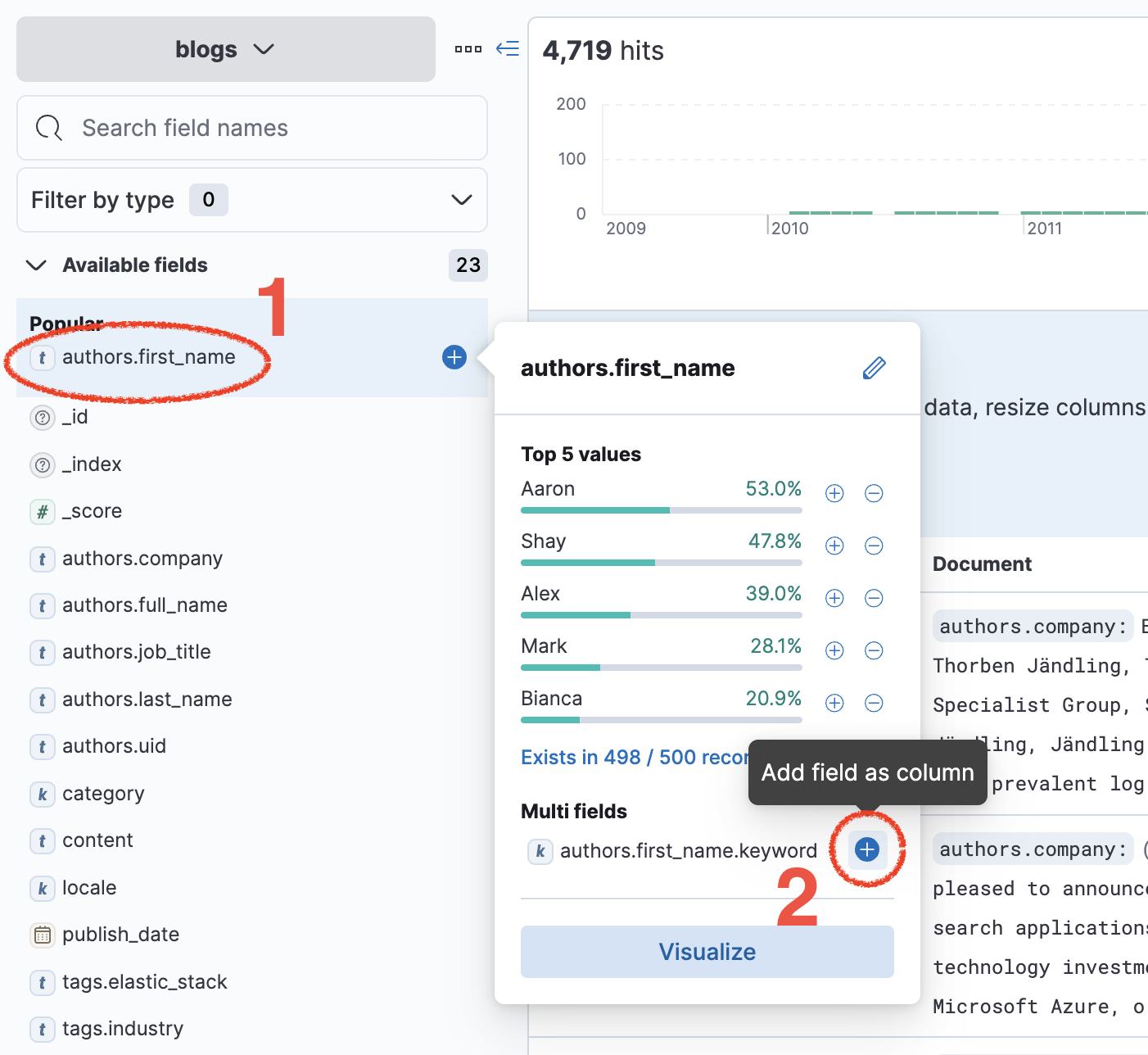
-
You now have the possibility to sort by
authors.first_name. Remove the sorting frompublish_date(by clicking on the small arrow next to the name of the field) and sort byauthors.first_name.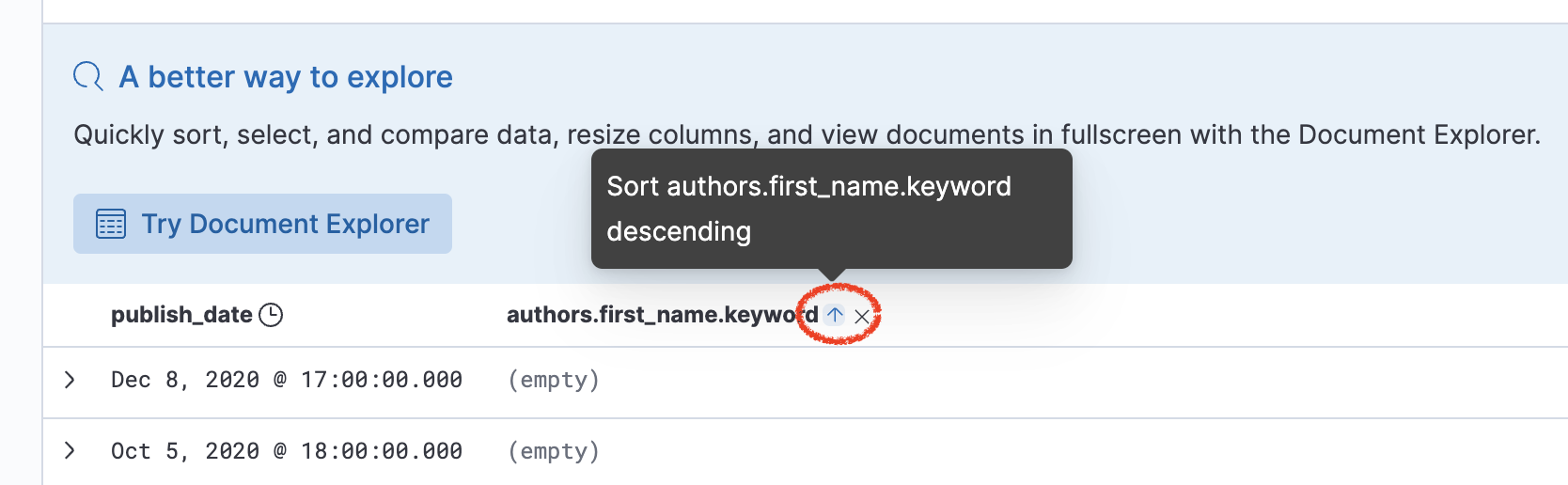
Summary:
In this lab, you wrote a couple of queries in Console and saw the difference between text and keyword.