Lab 5.3: More aggregations
Objective:
In this lab, you will manipulate more advanced aggregation.
-
Using the
blogs_fixed2index, write a query that searches for elasticsearch siem in thecontentfield. Use this scope of documents to get the top three blogs of each one of the top five categories. For better visibility, filter the_sourceto include only thetitle.Solution
GET blogs_fixed2/_search { "size": 0, "query": { "match": { "content": "elasticsearch siem" } }, "aggs": { "top5_categories": { "terms": { "field": "category_title.title", "size": 5 }, "aggs": { "top3_blogs": { "top_hits": { "size": 3, "_source": ["title"] } } } } } } -
In the previous lab, you found the top 3 URLs for each of the top 5 os.
GET web_traffic/_search { "size": 0, "aggs": { "top_OS": { "terms": { "field": "user_agent.os.name.keyword", "size": 5 }, "aggs": { "top_urls": { "terms": { "field": "url.original", "size": 3 } } } } } } -
Change the
termsaggregation of the top 3 URLs to asignificant_termsaggregation and compare the results of the two different queries. Notice how the URLs have changed to be less generic and more specific topicsSolution
GET web_traffic/_search { "size": 0, "aggs": { "top_OS": { "terms": { "field": "user_agent.os.name.keyword", "size": 5 }, "aggs": { "top_urls": { "significant_terms": { "field": "url.original", "size": 3 } } } } } } -
What is the hourly sum of
bytes_sent?Solution
GET web_traffic/_search { "size": 0, "aggs": { "logs_by_hour": { "date_histogram": { "field": "@timestamp", "calendar_interval": "hour" }, "aggs": { "sum_bytes": { "sum": { "field": "bytes_sent" } } } } } } -
Update the previous query to compute the moving average of the hourly sum. Use a
windowof 5 hours.Solution
GET web_traffic/_search { "size": 0, "aggs": { "logs_by_hour": { "date_histogram": { "field": "@timestamp", "calendar_interval": "hour" }, "aggs": { "sum_bytes": { "sum": { "field": "bytes_sent" } }, "the_movfn": { "moving_fn": { "buckets_path": "sum_bytes", "window": 5, "script": "MovingFunctions.unweightedAvg(values)" } } } } } } -
Optional: It is difficult to see the difference using only Console. Let's create a visualization to see the difference in Kibana:
- Open the main menu and click Visualize Library.
- Create a new Lens visualization.
- Select the
web_trafficdata view and see the correct time range (from April 1 to April 30, 2021.) - Drag and drop the
@timestampfield into the Horizontal axis and customize the time interval to be 1 hour.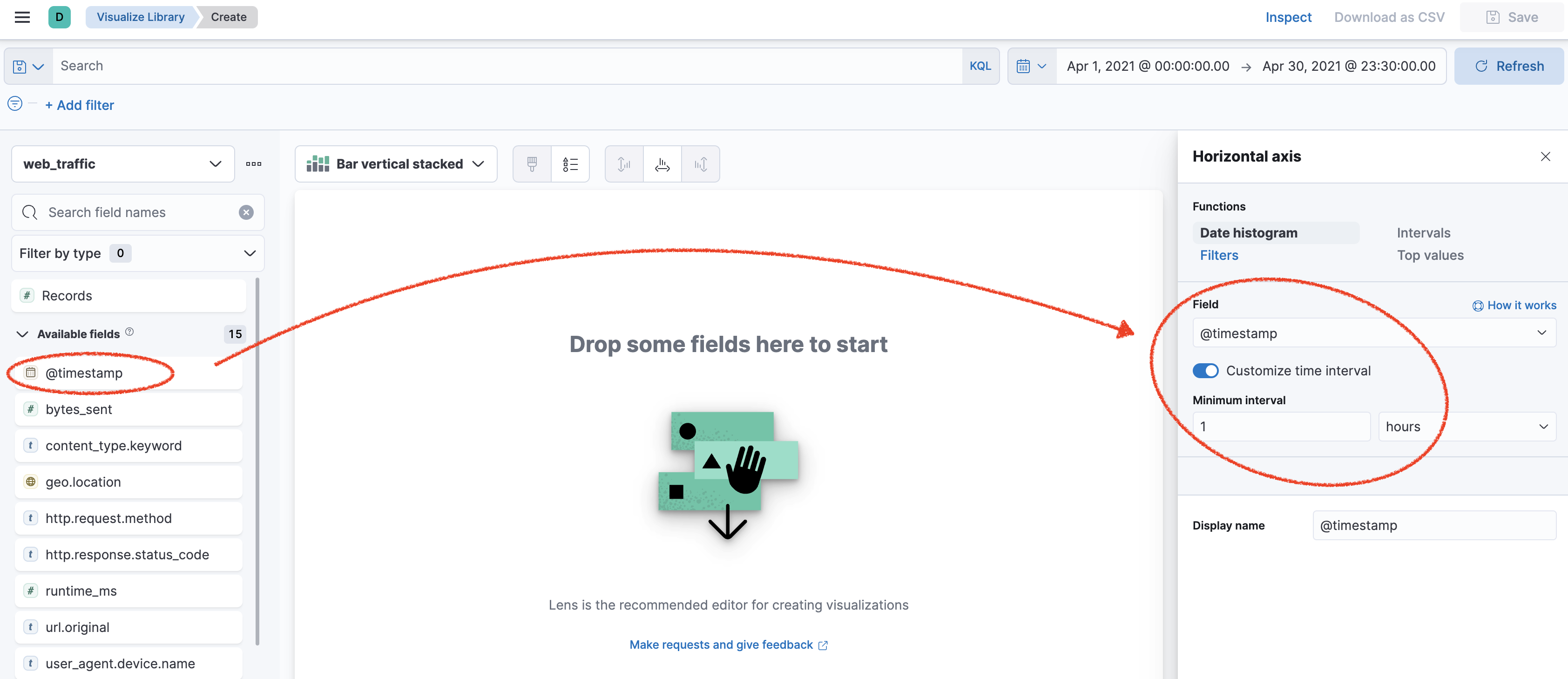
- Drag and drop the
bytes_sentfield into the Vertical axis and select the sum.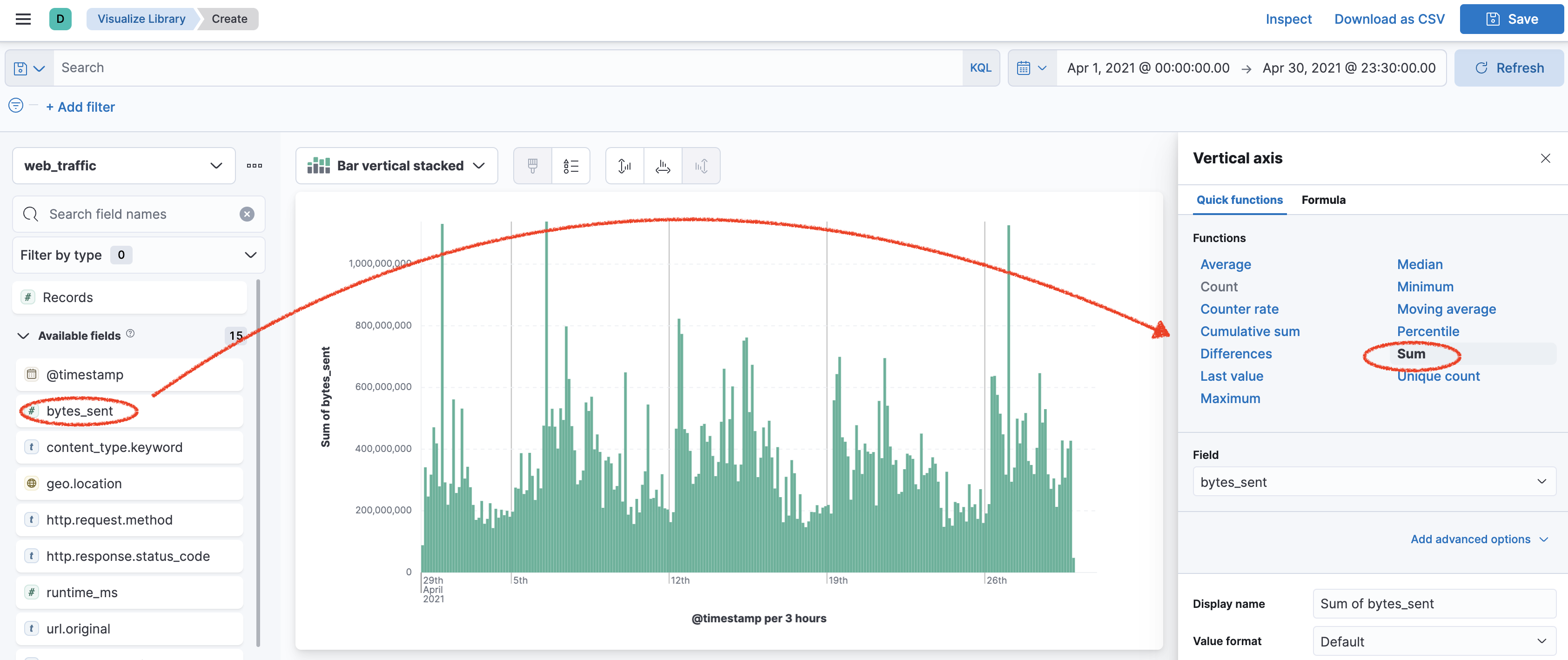
- Next, add a new layer to your visualization.
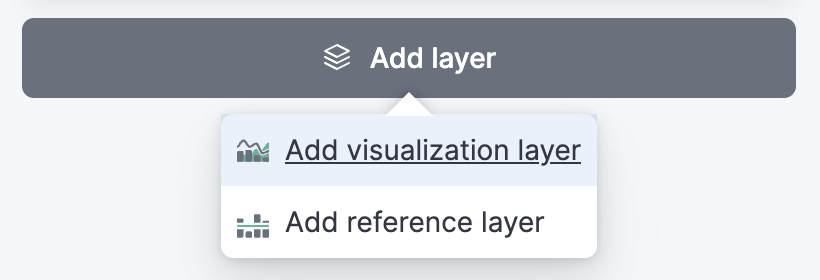
- Select the line visualization.
- Drag and drop the
@timestampfield into the Horizontal axis and customize the time interval to be 1 hour. - Drag and drop the
bytes_sentfield into the Vertical axis and, this time, select the moving average for the sum ofbytes_send.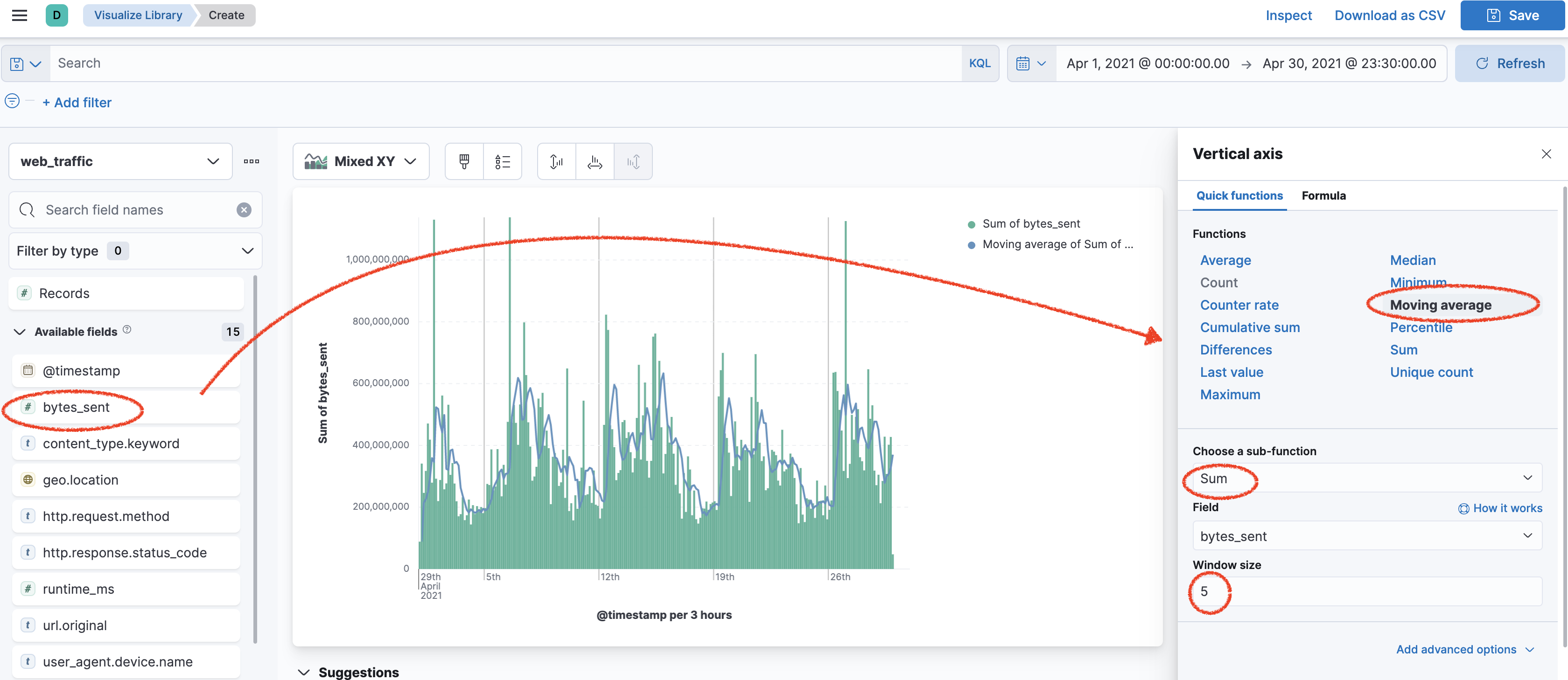
Summary:
You used more advanced aggregations such as top_hits and significant_terms. You computed the moving average using a pipeline aggregation.