Lab 7.4: Searchable snapshots
Objective:
In this lab, you will create a snapshot repository and add searchable snapshots to your index lifecycle policy.
-
EXAM PREP: Navigate to the Snapshot and Restore page under Stack Management. Register a new repository that satisfies the following requirements, keeping in mind that
cluster1already haspath.reposet to/var/tmp/snapshots, which is a shared file system on all nodes:- the name of the repository is
snap-repo - it is a shared file system that maps to the
/var/tmp/snapshotsfolder
Solution
- Click the Repositories tab
- Click Register a repository button
- Name your repository
snap-repo - Select Shared file system as the type
- Click Next
- Set the File system location to
/var/tmp/snapshotsand click Register
- the name of the repository is
-
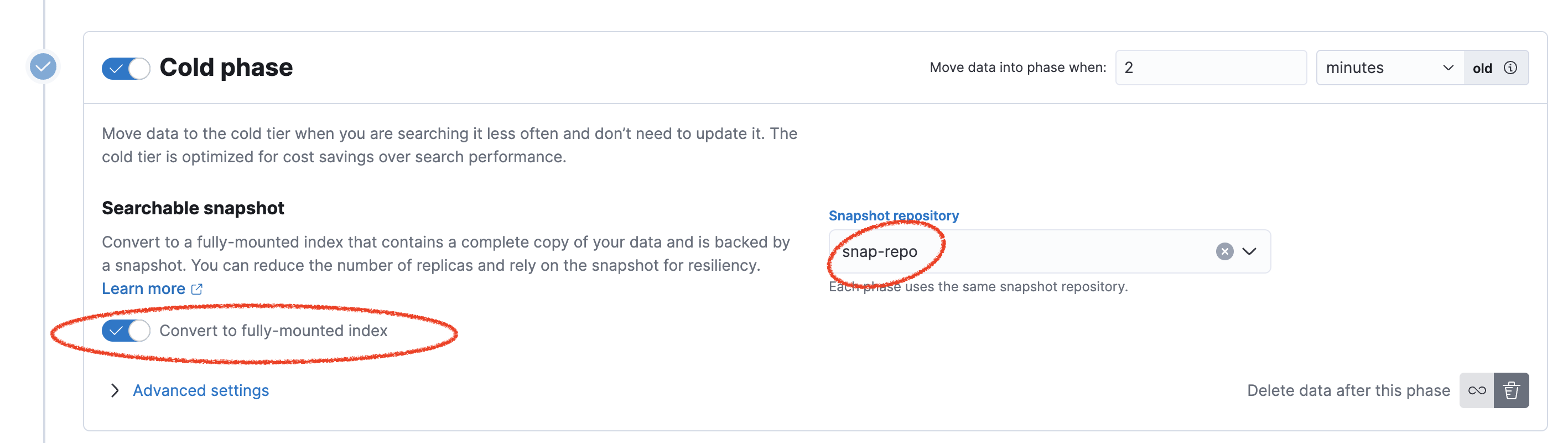
In Index Lifecycle Policies, edit
my-metrics-policyso that its Cold phase enables Searchable snapshots using thesnap-reporepository.Solution
-
Navigate to the Index Management page under Stack Management. Open the Data Streams tab and click on the number of indices for the stream
my_metrics-service.status-dev.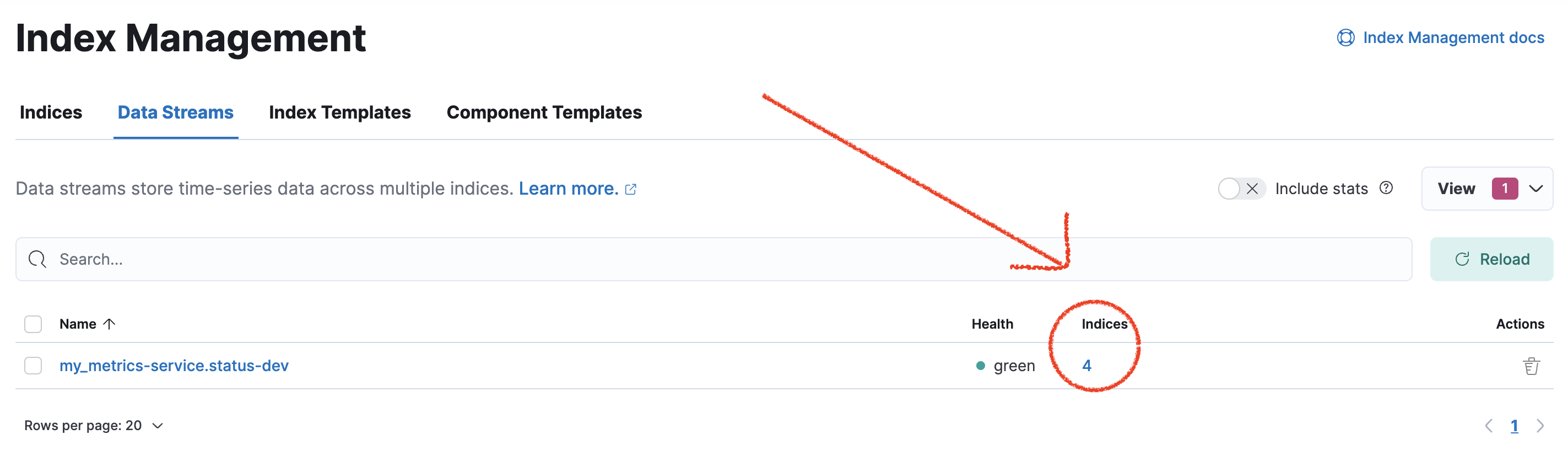
-
You can visualize the different indices linked to the stream. Notice that the size is different depending on the phase they are in.
-
EXAM PREP: Let's create a Snapshot Lifecycle Policy. In Snapshot and Restore, click Policies. Define a new snapshot policy that satisfies the following requirements:
- the name of the policy is
my-daily-snaps - the snapshot name is
<my-daily-{now/d}> - uses the
snap-reporepository - takes a snapshot at 1:30 AM every day (which is the default in the UI)
- retains a maximum of 3 snapshots
Solution
- Click Create a policy.
- Name should be
my-daily-snaps - Snapshot name should be
<my-daily-{now/d}> - Click Next.
- Leave the defaults for Snapshot settings and click Next.
- For Snapshot retention, set a value of 3 for the Maximum count of Snapshots to retain. Click Next.
- Click Create policy.
You can also create the policy using the following command in Console:
PUT _slm/policy/my-daily-snaps { "name": "<my-daily-{now/d}>", "schedule": "0 30 1 * * ?", "repository": "snap-repo", "config": {}, "retention": { "max_count": 3 } } - the name of the policy is
-
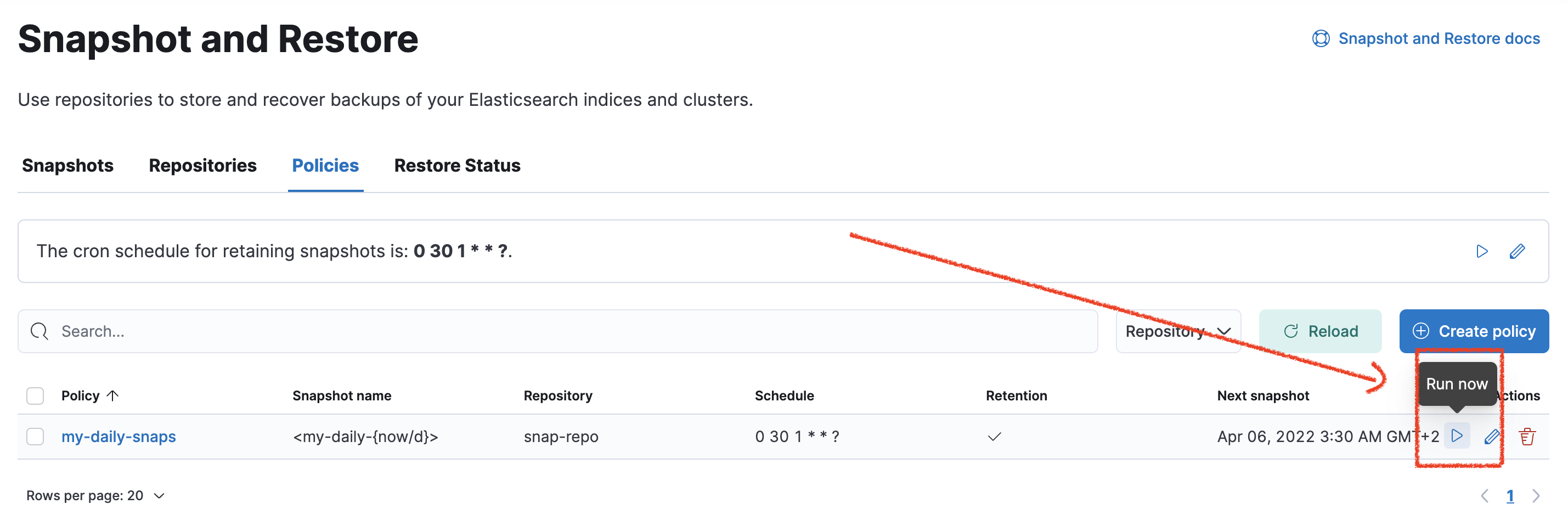
Obviously, we do not want to wait for 1:00 AM to get our first snapshot, so let's run it now. Click the Run now arrow on the Policies tab.
-
Once the snapshot has run, open the Snapshots tab and examine the results to see that all of your indices have been backed up.
Summary:
In this lab, you registered a shared file system repository. You used it to configure searchable snapshots, as well as to define a Snapshot Lifecycle Policy.