Lab 8.1: Multi cluster operations
Objective:
In this lab, you will set up a remote cluster for cross-cluster search. You will also configure cross-cluster replication.
-
Click the Kibana 2 button in Strigo to open Kibana, which is connected to a one-node cluster named
cluster2that is already up and running. This node is accessible at the addressnode5:9304. Log in usingtrainingas the username andnonprodpwdfor the password. -
Using Console, run a
match_allquery on theblogsindex oncluster2. You will see that there are seven blogs, and notice they were published over three days: April 27-29, 2021.GET blogs/_search -
Go back to Kibana 1 and register
cluster2as a remote cluster tocluster1.Solution
Go to Stack Management, then select Remote Clusters. Add a new remote cluster with the following properties:
- Name:
cluster2 - Seed nodes:
node5:9304 - Node connections: 1
Click Save and make sure that the cluster is connected.
- Name:
-
Write a query in Console of Kibana 1 that returns the seven blogs on
cluster2.Solution
A simple
match_allquery will do the trick - just make sure the index name iscluster2:blogs:GET cluster2:blogs/_search -
Write a query that searches the
blogsindices oncluster1andcluster2. Get the blogs containing the phrase "kibana query language" in thecontentfield. You should get 24 hits.Solution
GET blogs,cluster2:blogs/_search { "query": { "match_phrase": { "content": "kibana query language" } } } -
Next, you will configure
cluster1to replicate theblogsindex fromcluster2(which currently only has seven documents). From Kibana1, go to the Cross-Cluster Replication page in Stack Management and select Create a follower index. -
Configure CCR so that the
blogsindex oncluster2is replicated tocluster1in a new index namedreplicated_blogs.Solution
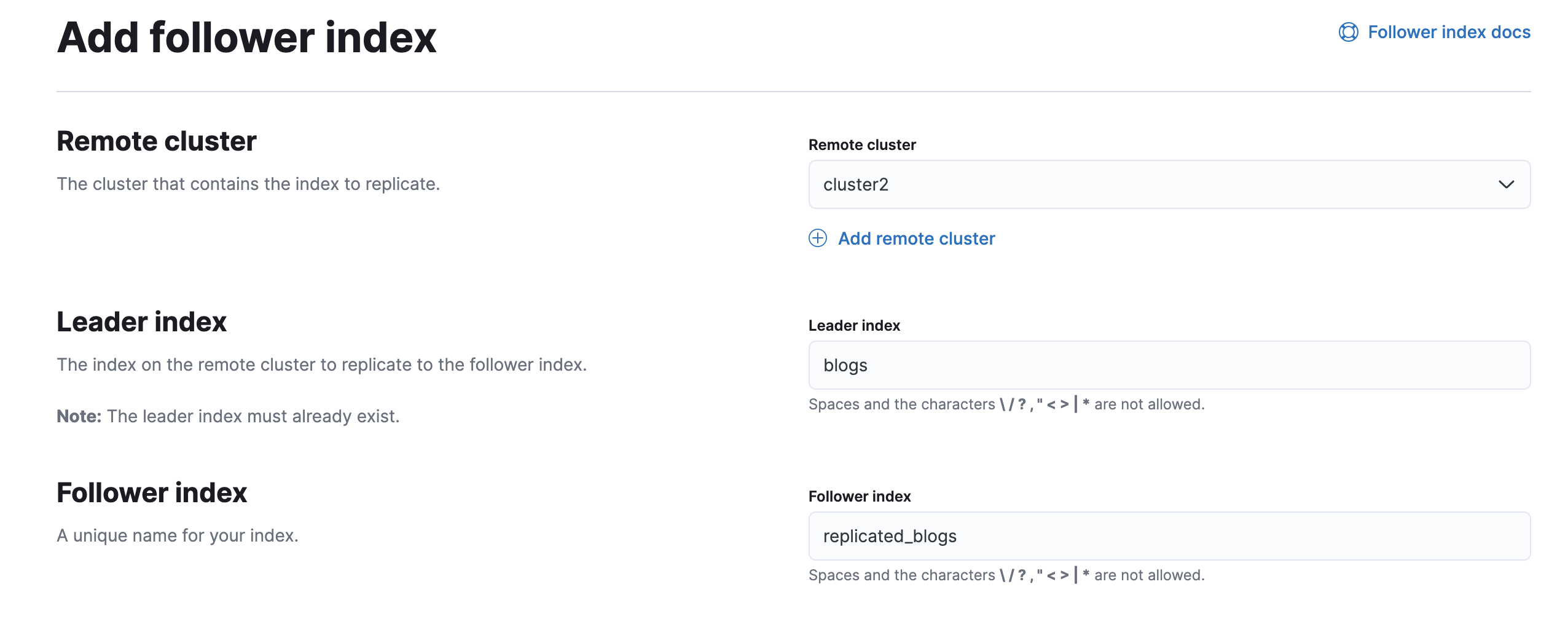 You can also complete this task by running the following command in Console of Kibana1:
PUT /replicated_blogs/_ccr/follow { "remote_cluster": "cluster2", "leader_index": "blogs" } -
Your new follower index is paused initially. Start the replication process now.
Solution
You can start replication either by clicking the Manage button in the bottom-right corner of the screen you are viewing. If you already closed that window, the same options appear by clicking the three dots under Actions on the Cross-Cluster Replication UI page.
-
Run the following query in Console of
cluster1. You should get seven hits:GET /replicated_blogs/_count -
Let's change the leader index and see what happens. From Console of
cluster2(which is the Kibana 2 button in Strigo), run the following query - which adds a new field to each document in theblogsindex:POST blogs/_update_by_query { "script": { "source": "ctx._source.version = 2", "lang": "painless" } } -
Go back to Console of
cluster1and view the documents inreplicated_blogs. They should each have a new field namedversionthat was added oncluster2:GET replicated_blogs/_search
Summary:
In this lab, you wrote a search across indices on multiple clusters. You implemented cross-cluster replication by replicating the blogs index of cluster2 to a new index on cluster1 named replicated_blogs.